


Your Step-by-Step Guide by Burk.pk
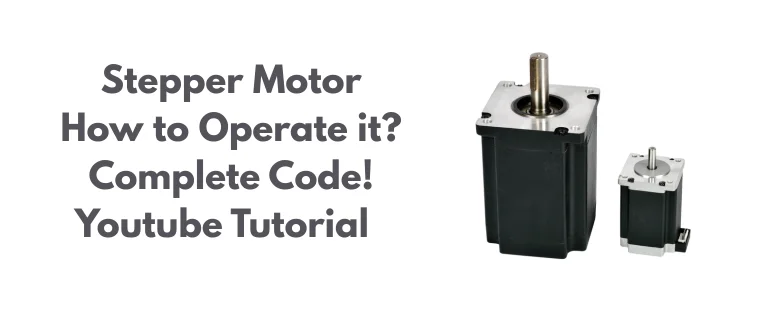
Controlling a stepper motor might seem complex at first but with the right tools and guidance, it becomes a rewarding experience. At Burk.pk, we don’t just sell electronic components; we help you bring your ideas to life. In our latest video tutorial, we’ve demonstrated how to control a stepper motor using the A4988 driver module and an Arduino board, one of the most popular combinations used in automation and robotics.
Whether you’re a student, hobbyist, or an engineer working on a prototype, this tutorial makes sure you learn the basics of stepper motor control in the most practical way.
What You’ll Need:
All components are available at Burk.pk:
- Stepper Motor (e.g., NEMA 17)
- A4988 Stepper Motor Driver Module
- Arduino UNO / Mega / Nano
- Breadboard & Jumper Wires
- Power Supply (12V recommended)
Wiring Guide:
- Connect A4988 to Arduino:
- VDD → 5V (from Arduino)
- GND → GND
- STEP → Pin 3
- DIR → Pin 2
- Enable (optional, can be pulled low)
- VMOT → External 12V supply
- GND (VMOT) → Power supply GND
- Connect the Stepper Motor to the A4988 module.
- Make sure coil pairs are connected correctly (check datasheet).
- Add a 100µF capacitor across VMOT and GND to protect the driver.
Code Snippet:
Upload this sample code to your Arduino via the Arduino IDE:
// Define pin connections & motor steps per revolution
const int dirPin = 2;
const int stepPin = 3;
const int stepsPerRevolution = 200;
// Button pins
const int whiteButtonPin = 4; // Forward
const int greenButtonPin = 5; // Backward
void setup()
{
// Declare pins as Outputs
pinMode(stepPin, OUTPUT);
pinMode(dirPin, OUTPUT);
// Declare buttons as Inputs with pull-up resistors
pinMode(whiteButtonPin, INPUT_PULLUP);
pinMode(greenButtonPin, INPUT_PULLUP);
}
void loop()
{
// Check if white button is pressed (LOW when pressed due to pull-up)
if (digitalRead(whiteButtonPin) == LOW)
{
digitalWrite(dirPin, HIGH); // Set direction to clockwise
moveMotor(2000); // Move motor slowly
}
// Check if green button is pressed
if (digitalRead(greenButtonPin) == LOW)
{
digitalWrite(dirPin, LOW); // Set direction to counterclockwise
moveMotor(1000); // Move motor quickly
}
}
// Function to move motor one revolution
void moveMotor(int stepDelay)
{
for (int x = 0; x < stepsPerRevolution; x++)
{
digitalWrite(stepPin, HIGH);
delayMicroseconds(stepDelay);
digitalWrite(stepPin, LOW);
delayMicroseconds(stepDelay);
}
}
Why Choose Burk.pk?
At Burk, we ensure that:
- Our products are authentic, tested, and ready-to-use
- We all have high quality components.
- We offer complete support and documentation with every module
- Tutorials and video guides are crafted to help you learn by doing
- Fast delivery across Pakistan no hassle, no delays!
This tutorial was powered by components directly from Burk.pk, so you know what you see is what you’ll get. Watch our youtube video for the complete insight!
https://www.youtube.com/shorts/fFOWsESW0e8
FAQs
- Do I need a heatsink for A4988?
If you’re driving the motor at high current (>1A), yes heatsinks are recommended. - Can I use a 9V battery instead of 12V supply?
Not ideal. Stepper motors require stable current and voltage. A 12V DC adapter is best. - How do I know the coil pairs of my stepper motor?
Use a multimeter to find matching resistance pairs—those are your coils. - Why is my motor vibrating but not rotating?
Check wiring, coil pairing, and ensure proper power supply. Also verify your code delays. - Is this setup suitable for 3D printers or CNCs?
Yes! The A4988 + Arduino combo is commonly used in open-source 3D printers and CNC machines. - 6. Where can I buy the stepper?
- Right here at Burk.pk we offer a wide range of LDO Nema series stepper motors.
